



Where it applies
- Redundancy identification on an existing scheme/model
- Paths for section, spacing and spec consolidation
- Feedback links to structural calculation and BOM
Material optimization starts from a constraint list—not from “cutting material”. Lock the performance, geometry and comparison scope that must remain.
Boundary: no fixed weight/cost savings promises; without real data, only qualitative notes—no invented savings rates.
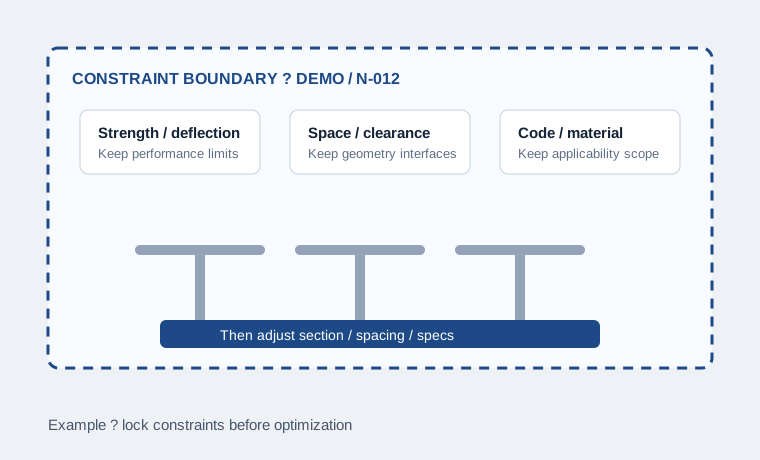
Not every project supports every path. First judge whether the case has room, then choose the matching path.
After re-checking stress, deflection, stability and connections, choose a better-matched section and thickness—not simple thinning.
When section capacity and node conditions allow, adjust support spacing to reduce repeated members while keeping performance boundaries.
Group by load case, standardize lengths and unify connections so similar specs converge into fewer reusable specs.
After section or spacing changes, re-check connectors, anchorage and node IDs so local mismatches do not appear.
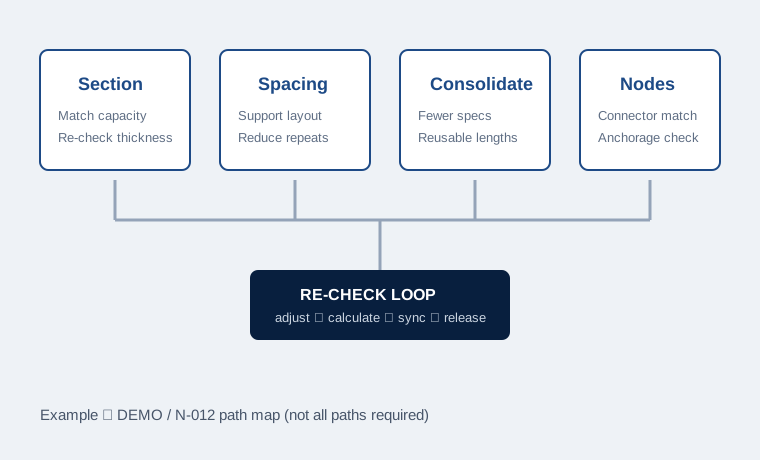
These are method paths. Not every project must use all of them.
Before/after comparison shares model scope, inputs and evaluation basis. Without real project data, the following is a qualitative example.
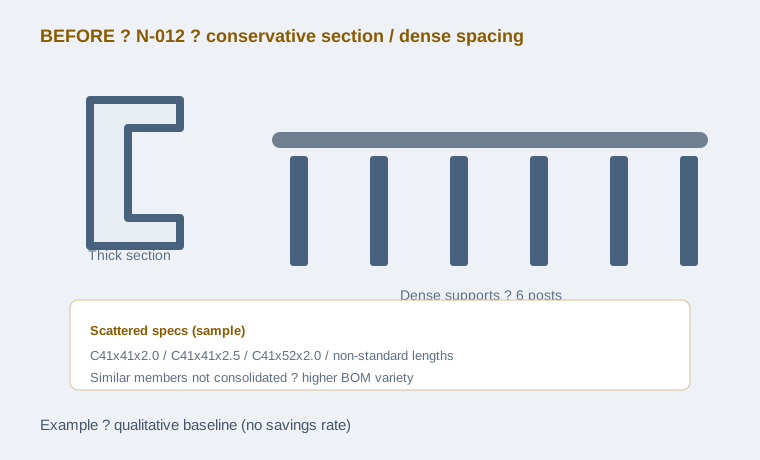
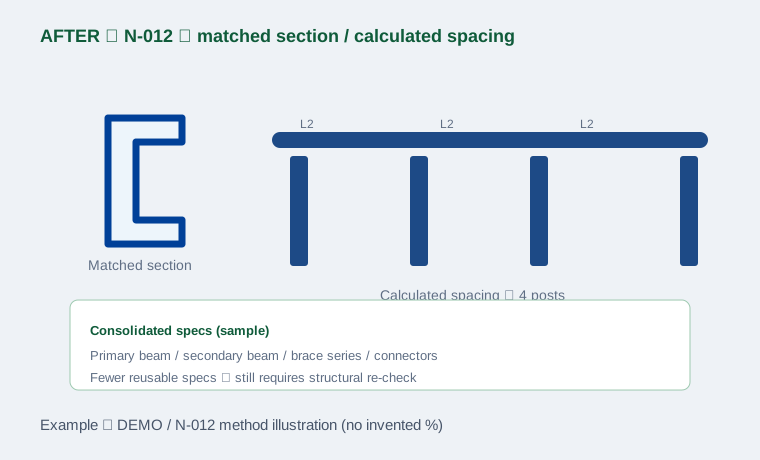
Example premise:Same reference object DEMO / N-012; performance boundaries, geometry interfaces and evaluation basis unchanged; only section matching and spacing logic adjusted (method illustration).
Swipe horizontally to view the full comparison table.
| Item | Before | After |
|---|---|---|
| Model scope | Same reference object N-012 | Same reference object N-012 |
| Performance boundary | Keep strength/deflection/stability | Same constraints, re-checked |
| Section status | Conservative specs (qualitative) | Matched specs (qualitative) |
| Layout status | Locally dense (qualitative) | Spacing set by calculation (qualitative) |
| Spec variety | Similar specs scattered | Consolidated reusable specs |
| Savings rate | N/A (no real data) | N/A (no invented rate) |
This comparison shows “constraints fixed, paths explainable, results re-checked”. It is not an approved project result and does not imply fixed material savings.
An adjustment does not automatically keep the same performance. Any section, spacing or spec change returns to the check loop.
Confirm performance, geometry and comparison basis were not rewritten.
Update section, spacing or consolidation along the selected path.
Re-check strength, deflection, stability and node matching.
Feed back into node design, detailing drawings and BOM.
Freeze the updated version and form a deliverable catalogue.
Link to structural calculation and BOM. No fixed savings promise. No downloads without real files.
Records performance and geometry that must stay fixed.
States changed items and evaluation basis.
Hands off to controlled structural results.
Layout, section and IDs stay aligned.
Catalogue after consolidation.
Records add / modify / cancel impact.